
Hey Alexa, How Do I Win at PPC?
As voice search becomes a dominant way for users to interact with the web, optimizing your PPC campaigns for voice search can provide a competitive edge. Voice search accounts for 46% of all online searches, and businesses that adapt to this shift will better engage customers. Let’s dive in: How to Optimize PPC Campaigns for Voice Search
1. Target Conversational, Long-Tail Keywords
Voice searches are more conversational and include natural phrases compared to traditional typed searches. To optimize your PPC campaigns, follow these steps:
- Use tools like Answer the Public: This tool helps you find questions people ask around your products or services. Instead of short, competitive keywords, focus on longer, conversational phrases. For example, if you’re a shoe retailer, instead of bidding on “best sneakers,” bid on queries like “Where can I buy sneakers for flat feet?”
- Actionable Tip: Create campaigns with ad groups targeting specific voice-search queries. You can structure your campaign by including keywords with question modifiers like “what,” “how,” and “best” to match voice-search intent. This method helps capture higher intent searches, leading to more qualified leads.
Example: Let’s say you’re running an ad for a cleaning service. Instead of targeting “cleaning service,” target queries like “What’s the best cleaning service near me?”
2. Optimize for Local Search
According to Google, 22% of voice search queries are related to local businesses. Users frequently ask location-based questions, such as “Find a coffee shop near me.”
How to Do It
- Incorporate Location Keywords: Add keywords that capture location-specific intent. For example, include terms like “near me” or “in [city]” within your PPC ad groups. Google’s Keyword Planner can help you find local trends.
- Set Up Location Extensions: In Google Ads, enable location extensions to show your business’s address, phone number, and a link to Google Maps directly within the ad. This is especially useful for capturing local voice searches.
- Actionable Tip: Use bid adjustments to prioritize users searching from specific geographic areas. If you own a bakery in San Francisco, increase your bids for users located within a 10-mile radius.
Example: A restaurant could bid on “Where can I find vegan restaurants near me?” and optimize proximity by adjusting the bid to target users in their immediate area.
Bonus Tip: When optimizing for local keywords, consider regional dialects and slang. For instance, in some areas, “tennis shoes” might be used instead of “sneakers.” Research these regional differences because users often search based on their local language habits, which may differ from your business’s standard terms.
3. Focus on Mobile-Friendly and Fast Landing Pages
Voice search is largely mobile-driven. It’s essential that your landing pages load quickly and are optimized for mobile.
How to Do It
- Test Your Mobile Usability: Use Google’s Lighthouse to evaluate your landing pages. Make sure they load fast and have simple, easy-to-click buttons.
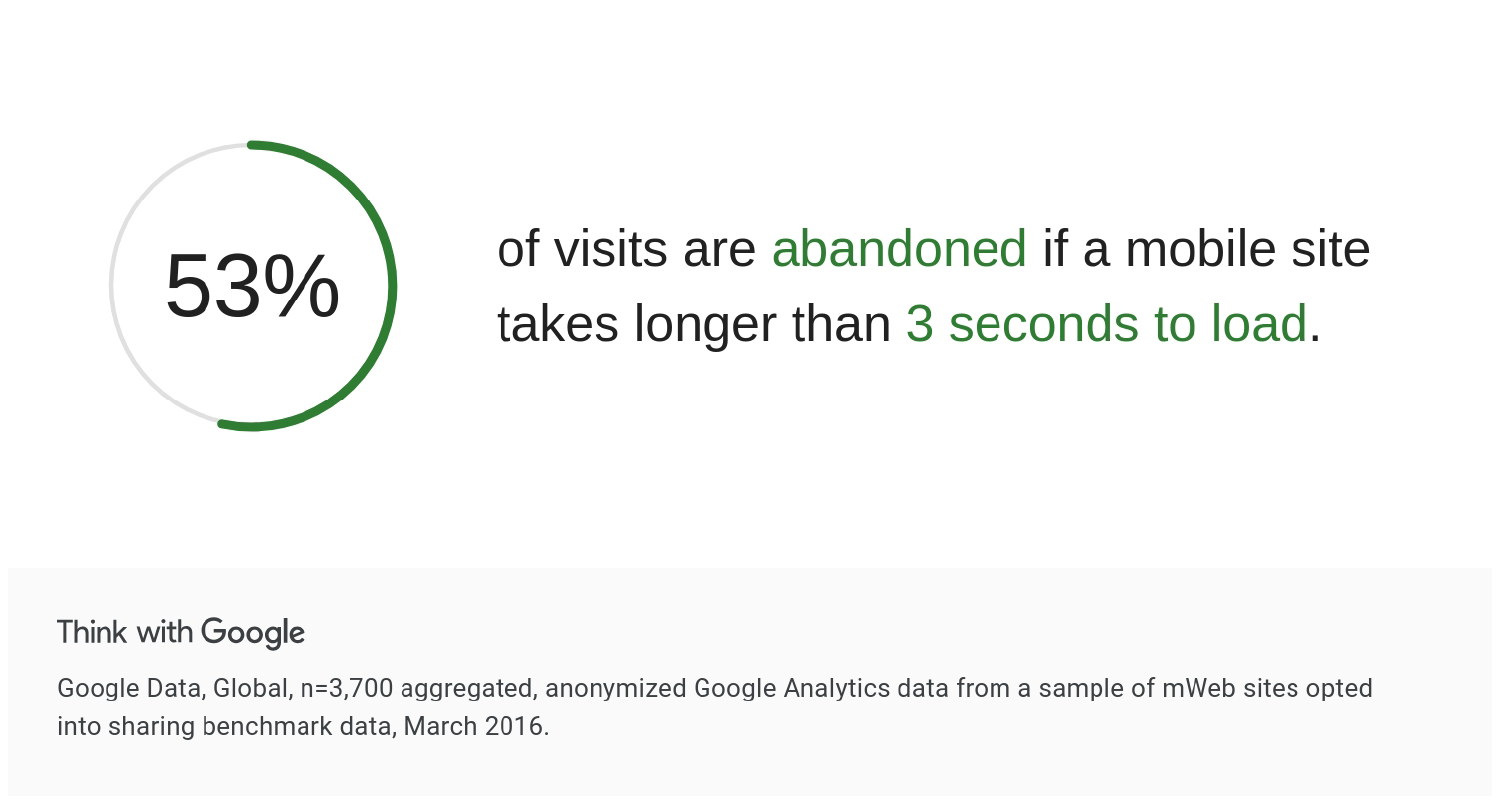
- Prioritize Page Speed: Fast page speed is crucial for retaining voice search users. Google recommends that mobile sites load within 3 seconds or less otherwise 53% of visits are abandoned. Use PageSpeed Insights to find performance issues on your landing pages.
- Actionable Tip: Simplify your landing page forms. Voice search users expect quick results, so reduce the number of required fields on mobile forms to improve conversion rates.
Example: If you’re running an ad for a plumber, and a voice search user clicks on your ad asking, “Where can I find a plumber near me?”, the landing page should load immediately and make it easy to call or book an appointment.
4. Leverage Structured Data for Rich Snippets
Featured snippets are the concise, structured answers that appear at the top of search results, and they often answer voice queries. Optimizing snippets can boost both organic and PPC campaign results.
How to Do It
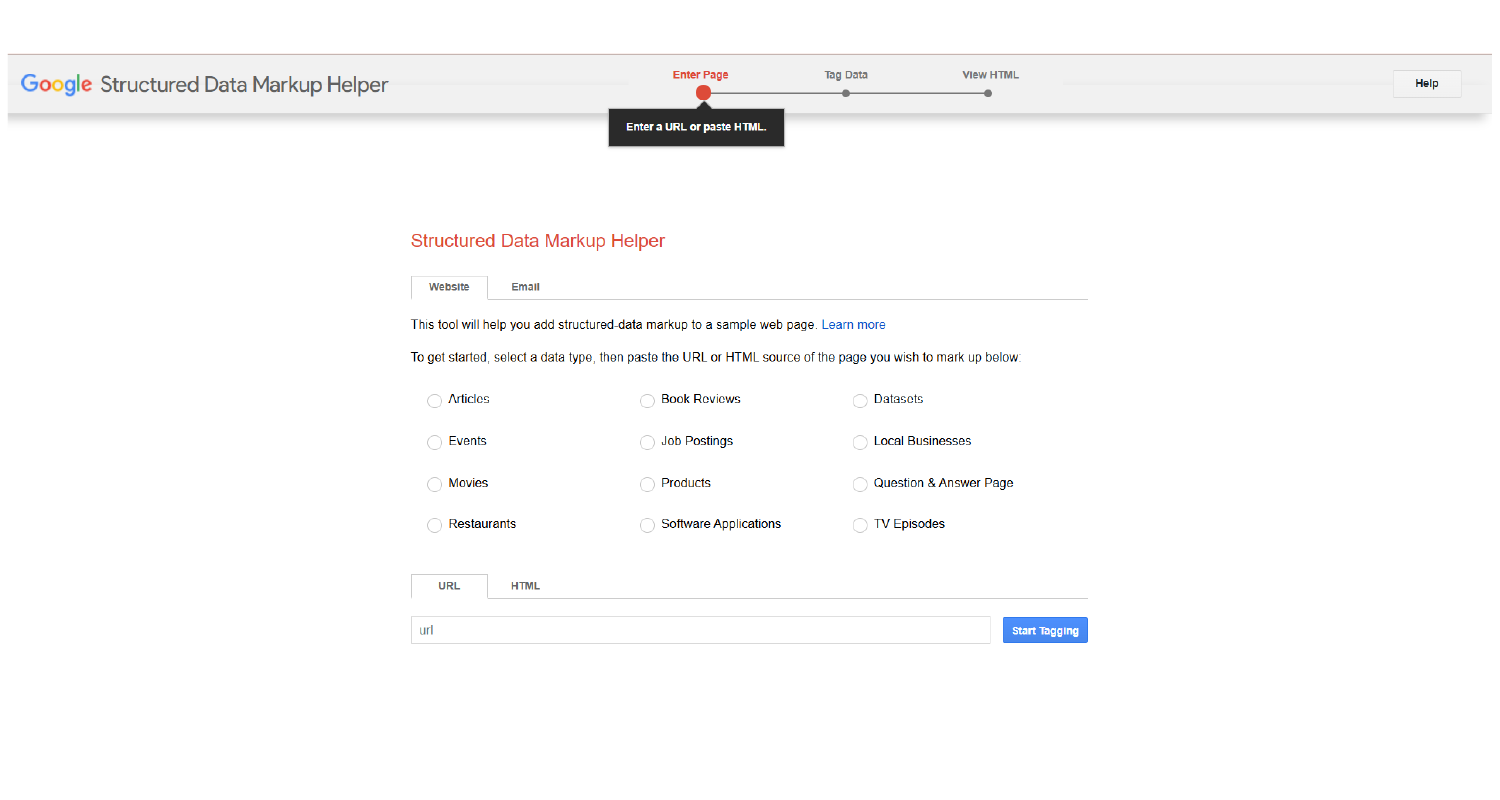
- Add Schema Markup: Use tools like Google’s Structured Data Markup Helper to add schema markup to your website. This markup helps search engines understand your content, improving the chance your website will be featured in a snippet.
- Focus on FAQ Pages: Create FAQ-style content that answers common customer questions directly. These answers often show up as rich snippets and can drive significant traffic from voice searches.
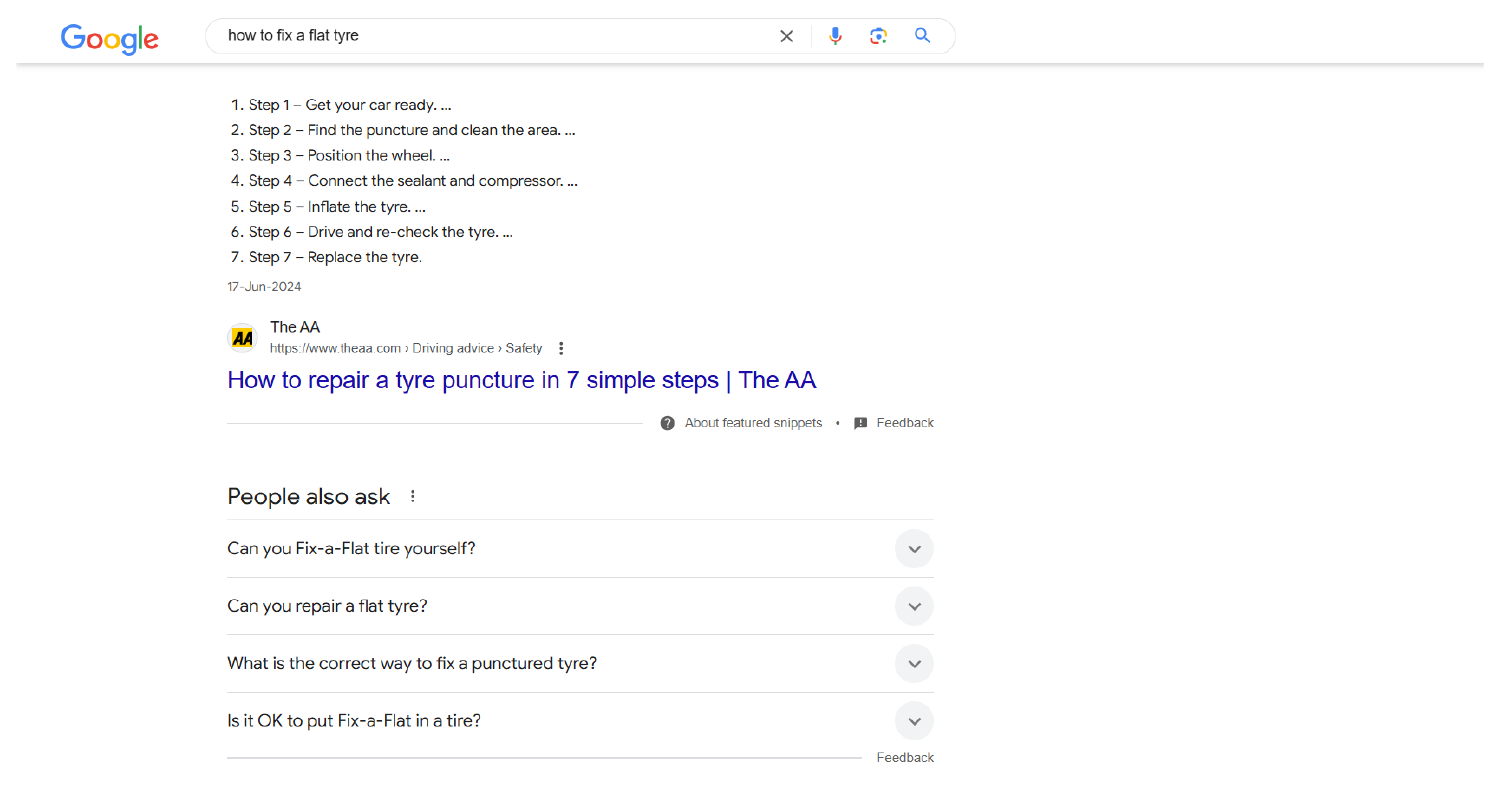
Over 70% of voice search results pull information from featured snippets and “People Also Ask”
- Actionable Tip: Use a “how-to” structure within your PPC ads to match the type of queries voice search users ask. For example, target the query “How to change a tire” with step-by-step instructions in your landing page content.
Example: A local auto repair shop could use schema markup to appear in search results when users ask, “How to fix a flat tire.”
5. Refine Your Bidding Strategy
Voice search queries tend to be longer, more specific, and less competitive. As a result, you can bid more efficiently by targeting long-tail keywords.
How to Do It
- Lower Bids on Generic Keywords: Focus your budget on long-tail keywords that reflect voice search queries. These tend to have lower competition and higher intent.
- Use Automated Bidding: Google Ads’ automated bidding strategies, like Enhanced CPC or Target CPA, can help adjust your bids in real-time to capture more high-intent voice search traffic. The algorithm will prioritize searches that are more likely to convert.
- Actionable Tip: Track the performance of your voice search traffic separately. Use custom reports within Google Ads to assess which voice search queries drive conversions and adjust your bids accordingly.
Example: A hotel chain could optimize for voice queries such as “affordable hotels near Times Square” instead of broad terms like “hotels in New York,” capturing more relevant leads at a lower CPC.
6. Use Conversational Ad Copy
Your ad copy needs to reflect the conversational tone of voice searches. It’s all about how you structure your ads to sound natural.
How to Do It
- Match the Tone: Use more conversational language in your ad copy. Instead of “Buy running shoes,” try “Looking for the best running shoes? We’ve got you covered!”
- Answer Questions Directly: Craft ad headlines and descriptions that directly answer the user’s question, increasing the likelihood of attracting their attention.
- Actionable Tip: Use dynamic keyword insertion to customize your ad copy for each user’s query, making it feel more personalized and relevant.
Example: For a home cleaning service, use ad copy like “Need help cleaning your home today? Book a professional cleaner in your area.”
Bonus Tips for Optimizing Voice Search PPC Campaigns
- Utilize Negative Keywords: Add negative keywords to exclude irrelevant voice search traffic. For instance, if you’re a high-end restaurant, exclude queries like “cheap restaurants near me.”
- Monitor Changing Trends: Voice search behavior evolves quickly. Stay updated by reviewing keyword trends and adjusting your campaign regularly.
- Implement Call Extensions: Since voice search users are often on mobile, use call extensions to make it easier for them to contact you directly from the search results.
- Test and Iterate: Voice search is still a growing field. Run A/B tests to see what ad copy, keywords, and landing page designs work best for your voice search audience.
Conclusion
Voice search presents a unique opportunity to connect with users in a more personalized, intent-driven way. By focusing on conversational keywords, optimizing for mobile and local searches, leveraging structured data, and adjusting your bidding strategies, you can drive significant value from voice search traffic. Stay flexible, track your performance, and continuously optimize as this space evolves. Learn more about The Growing Importance of Visual Search in Paid Ad Campaigns
References
- Lunio. (n.d.). Voice Search Marketing: ‘Hey Siri, Increase My ROAS’. Retrieved from https://www.lunio.ai/blog/voice-search-marketing
- WebFX. (n.d.). How Do I Optimize My PPC Campaign for Voice Search? Retrieved from https://www.webfx.com/blog/seo/optimize-ppc-campaign-for-voice-search/
- JumpFly. (n.d.). Voice Search and PPC: 4 Ways to Use and Optimize. Retrieved from https://www.jumpfly.com/blog/voice-search-and-ppc-4-ways-to-use-and-optimize/
- Backlinko. (n.d.). Voice Search Statistics: 2024 Update. Retrieved from https://backlinko.com/voice-search-stats