

Quick Takeaways
Passwords are still one of the biggest weak points in business security. They can be guessed, reused, stolen, phished, leaked, or shared across different accounts.
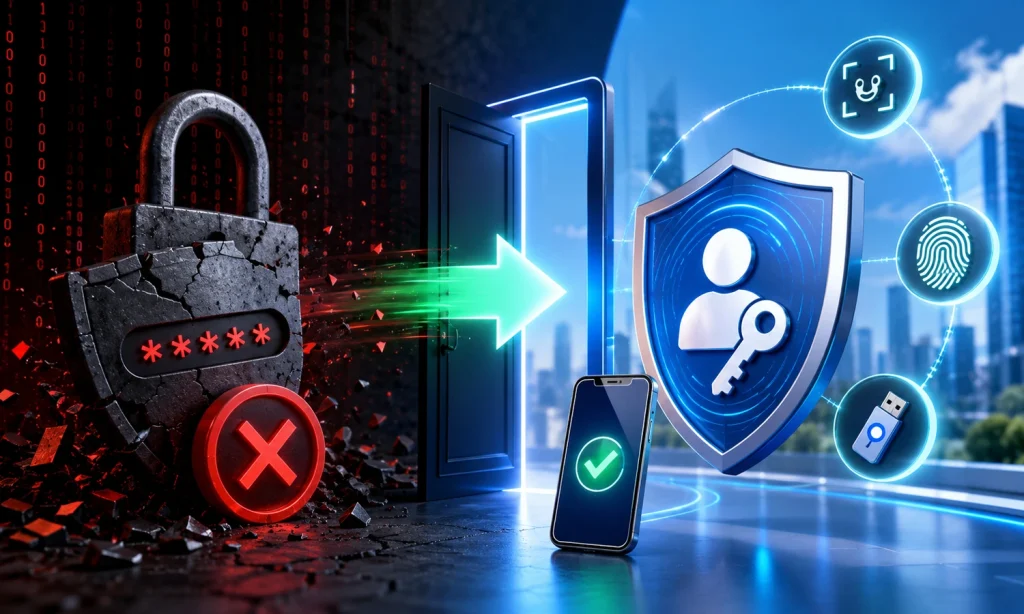
Passkeys and passwordless authentication reduce that risk by replacing traditional passwords with stronger sign-in methods based on device security, biometrics, PINs, and cryptographic keys.
In 2026, businesses should not think of passkeys as a future idea. They are already becoming a practical security upgrade for companies that want stronger protection against phishing, account takeover, and stolen credentials.
- Passwords Are Still A Major Security Risk
- Passkeys Help Reduce Phishing And Credential Theft
- Passwordless Login Can Improve Security And User Experience
- Phishing-Resistant MFA Is Stronger Than SMS Codes
- Businesses Should Start With High-Risk Accounts First
- Passkeys Work Best With Zero Trust And Access Controls
Quick Answer: What Are Passkeys?
Passkeys are a passwordless sign-in method that lets users log in to apps and websites using a device-based method such as fingerprint, facial recognition, screen lock, or device PIN.
Instead of typing a password, the user proves their identity using a secure passkey stored on their device or with a passkey provider.
Google describes passkeys as an easier and more secure alternative to passwords that let people sign in using a fingerprint, face scan, or screen lock.
In simple terms:
A password is something you remember. A passkey is something your device securely proves.
That difference matters because passkeys are designed to reduce password theft, phishing, password reuse, and weak login habits.
Why Businesses Should Move Beyond Passwords In 2026
Passwords were never designed for the way businesses work today.
A modern business may use:
- Email Platforms
- Cloud Storage
- CRM Tools
- Accounting Software
- Website Admin Panels
- HR Systems
- Marketing Tools
- Remote Work Apps
- AI Tools
- SaaS Dashboards
Each tool adds another login. Each login adds another chance for employees to reuse weak passwords, fall for phishing, or expose business accounts.
Microsoft’s Digital Defense Report 2025 found that 97% of identity attacks were password spray attacks. That means attackers are still heavily targeting weak and reused passwords at scale.
This is why passwordless authentication is becoming more important. It supports the same direction as Zero Trust security: verify every access request, reduce blind trust, and limit the damage if credentials are targeted.
Passwords vs MFA vs Passkeys
It is important to understand the difference between passwords, MFA, and passkeys.
Passwords
Passwords depend on something the user knows.
The problem is that passwords can be:
- Weak
- Reused
- Forgotten
- Shared
- Stolen
- Leaked
- Phished
- Guessed By Attackers
Even strong passwords can become risky if users reuse them across multiple services or enter them into fake login pages.
Multi-Factor Authentication
Multi-factor authentication, or MFA, adds another layer after the password.
Examples include:
- SMS Codes
- Email Codes
- Authenticator Apps
- Push Notifications
- Hardware Security Keys
- Biometrics
- Passkeys
MFA is stronger than password-only login, but not all MFA is equally secure.
SMS codes and push notifications can still be targeted through SIM swapping, phishing, social engineering, and MFA fatigue attacks.
Passkeys
Passkeys remove the need to type a password at all.
They use cryptographic authentication, where a private key stays protected on the user’s device and a public key is stored with the service. When the user signs in, the system verifies that the correct device and user are present without exposing a reusable password.
The FIDO Alliance explains that passkeys replace passwords with cryptographic key pairs for phishing-resistant sign-in security and a better user experience.
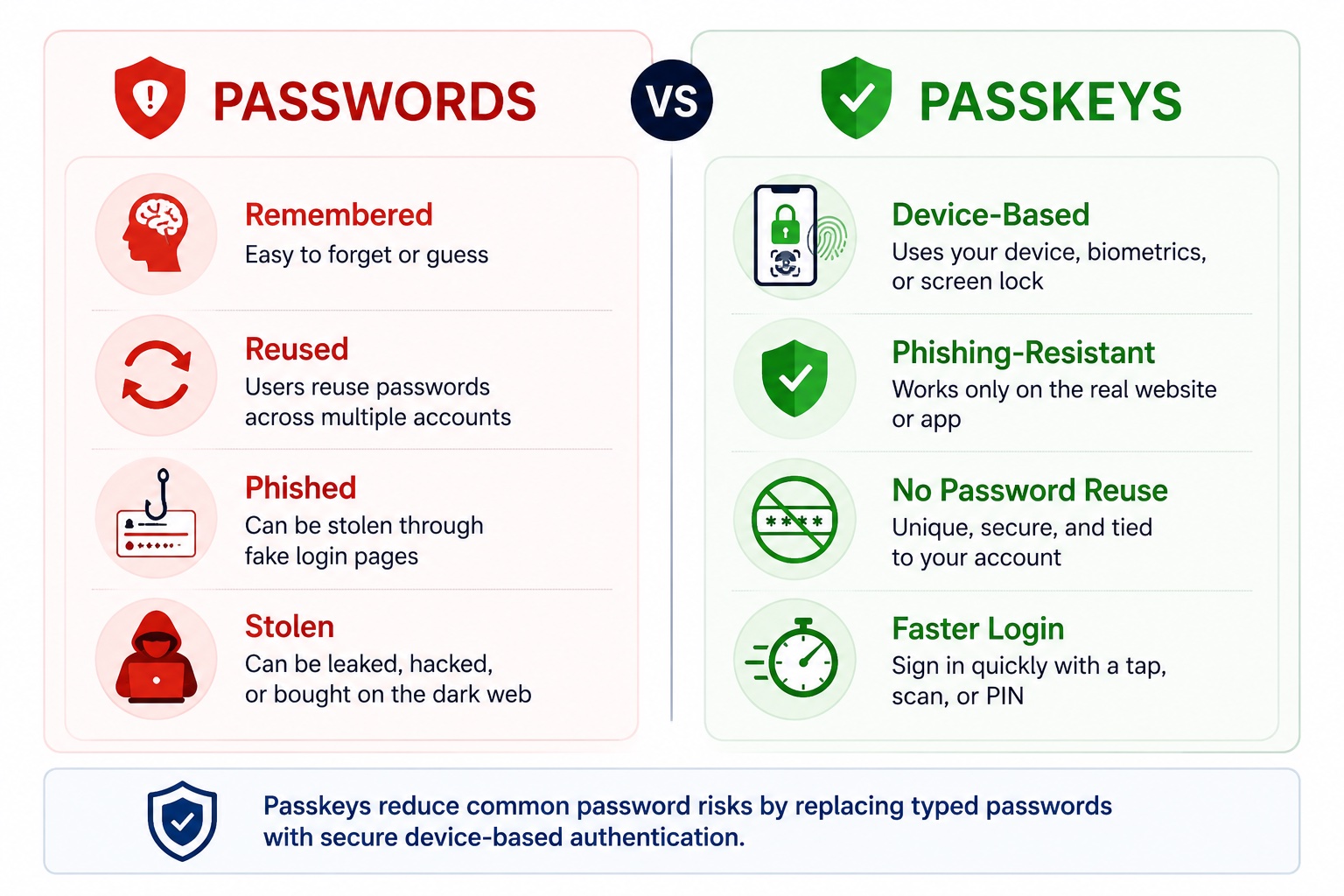
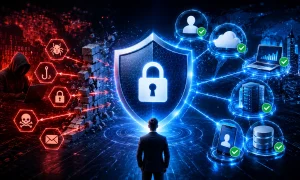
(AI-assisted comparison graphic created for educational and illustrative purposes only.)
How Passkeys Work
Passkeys may sound technical, but the basic idea is simple.
When a user creates a passkey for an account, two cryptographic keys are created:
- A Public Key Stored By The Website Or App
- A Private Key Kept Securely On The User’s Device Or Passkey Provider
When the user signs in, the website sends a challenge to the device. The device proves it has the correct private key, usually after the user unlocks it with fingerprint, face recognition, screen lock, or PIN.
The password is never typed. A reusable secret is not sent across the internet.
This makes passkeys much harder to steal through fake login pages because the passkey is tied to the real website or app where it was created.
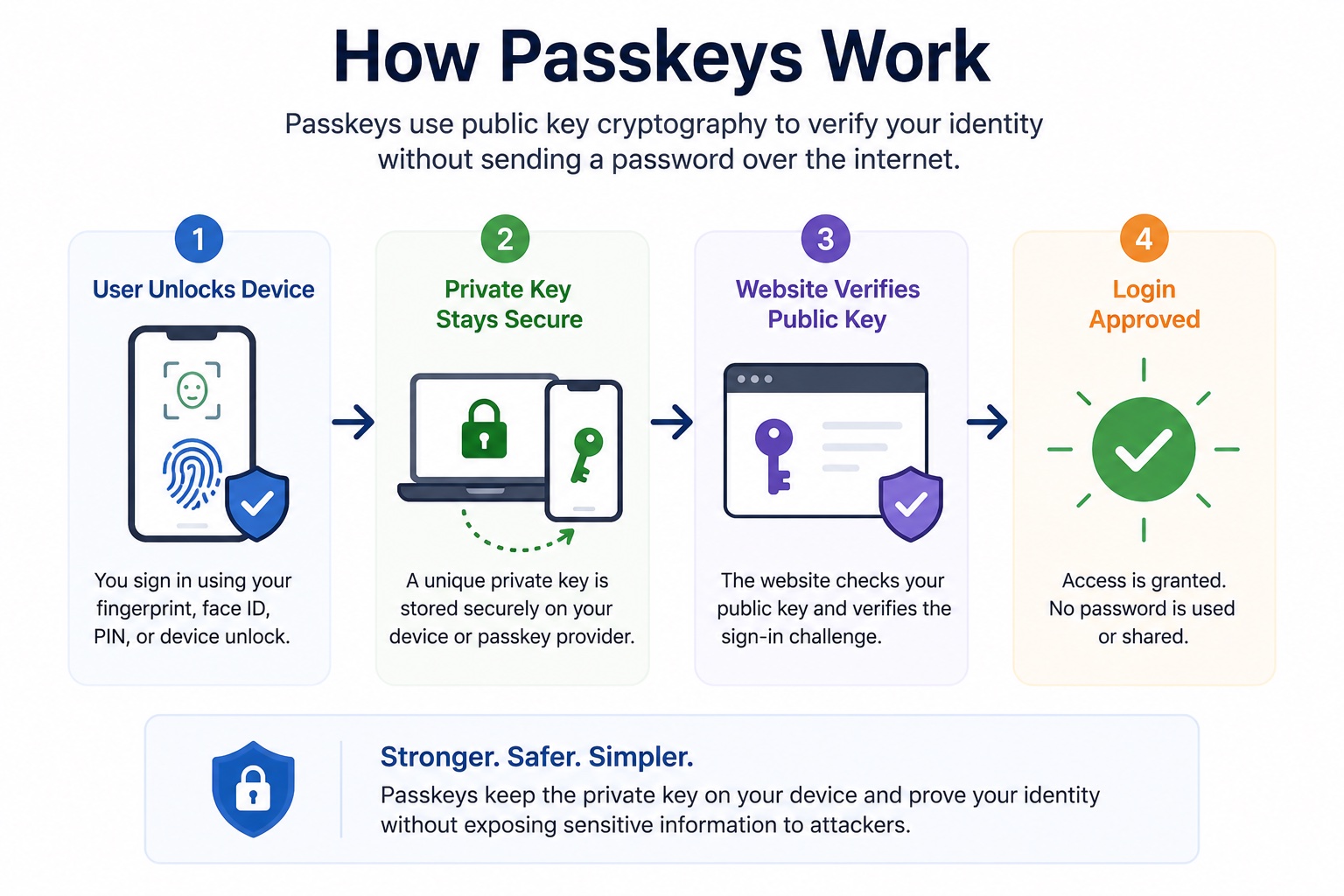
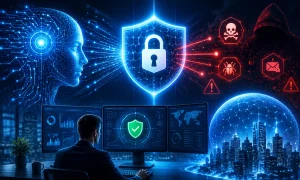
(AI-assisted infographic explaining passkey authentication in a simplified format for educational purposes.)
What Does Phishing-Resistant Authentication Mean?
Phishing-resistant authentication means the login method is designed to stop attackers from stealing or replaying credentials through fake websites, fake login pages, or social engineering.
Traditional passwords are easy to phish because users can type them anywhere.
SMS codes can also be phished because attackers can trick users into sharing the code.
Passkeys are different because they are built to work only with the legitimate website or app they were created for. Microsoft explains that passkeys in Microsoft Entra ID are phishing-resistant credentials built on FIDO standards and origin-bound public key cryptography.
That makes passkeys especially useful for businesses that want stronger protection for email, admin accounts, finance tools, and sensitive systems.
Why Passkeys Are Better Than Passwords
Passkeys are not perfect, but they solve many problems that passwords create.
1. They Reduce Phishing Risk
A fake login page can trick someone into entering a password, but a passkey is tied to the original site or app.
This makes it much harder for attackers to steal login credentials through phishing.
2. They Remove Password Reuse
Employees often reuse passwords because remembering dozens of unique passwords is difficult.
Passkeys remove that problem because there is no password to reuse.
3. They Improve User Experience
Password resets waste time for employees and IT teams.
Passkeys can make login faster because users can sign in through fingerprint, face recognition, device PIN, or secure device authentication.
4. They Support Stronger Access Security
Passkeys fit well with:
- Zero Trust Security
- Conditional Access
- Device-Based Authentication
- Role-Based Access
- Admin Account Protection
- Phishing-Resistant MFA
This makes them useful for companies trying to modernize identity security.
5. They Lower Credential Theft Risk
If there is no password to type, store, or reuse, attackers have fewer credentials to steal.
This does not remove every security risk, but it reduces one of the biggest attack paths.
Are Passkeys The Same As Biometrics?
No. This is a common misunderstanding.
Biometrics such as fingerprint or face recognition are often used to unlock the passkey on the device. But the biometric data itself is not the passkey.
The passkey is the cryptographic credential. The fingerprint, face scan, or PIN is the method used to prove that the right user is unlocking the device.
This matters because businesses should not explain passkeys as “your face is your password.” A better explanation is:
Your device holds the secure passkey. Your fingerprint, face, or PIN unlocks it.
Are Passkeys Safer Than Passwords?
In most cases, yes.
The UK’s National Cyber Security Centre says passkeys are more secure than traditional ways to log in and describes them as a more usable and secure replacement for passwords.
Passkeys reduce several major password risks:
- Password Reuse
- Phishing
- Credential Stuffing
- Weak Passwords
- Password Database Theft
- Fake Login Pages
- Manual Password Sharing
However, passkeys are not risk-free. Businesses still need secure account recovery, device management, employee training, access reviews, and clear policies for lost or replaced devices.
Passkeys vs Password Managers
Passkeys and password managers are not the same, but they can work together.
A password manager stores passwords and may also support passkeys.
A passkey replaces the password for accounts that support passwordless login.
For businesses, the best approach may be:
- Use Passkeys Where Supported
- Use A Password Manager For Accounts That Still Require Passwords
- Use MFA On High-Risk Accounts
- Remove Shared Passwords
- Review Access Regularly
Password managers are still useful because many business apps do not fully support passkeys yet. Until passwordless authentication becomes available everywhere, password managers help keep remaining passwords unique and harder to misuse.
Where Businesses Should Use Passkeys First
Businesses do not need to move every account to passkeys at once.
Start with high-risk accounts and systems where stolen credentials could cause serious damage.
Good starting points include:
- Email Accounts
- Admin Accounts
- Finance And Accounting Tools
- Cloud Storage
- Website Admin Panels
- CRM Platforms
- HR Systems
- Password Managers
- Remote Access Tools
- Developer Accounts
- Security Tools
Admin accounts should be the priority because they usually have the highest level of access.
If an attacker compromises an admin account, they may be able to change settings, access sensitive data, create new users, remove security controls, or lock the business out of its own systems.
Passkeys For Small Businesses
Small businesses often assume passwordless authentication is only for large companies. That is not true.
A small business can start with simple steps:
- Turn On Passkeys For Google, Microsoft, Or Apple Accounts Where Available
- Use MFA For Email And Admin Tools
- Replace SMS Codes With Authenticator Apps Or Passkeys Where Possible
- Use A Password Manager For Accounts That Still Need Passwords
- Remove Old Employee Accounts
- Limit Admin Access
- Review Shared Cloud Files
- Train Employees To Spot Fake Login Pages
The goal is not to become fully passwordless overnight. The goal is to reduce the most common login risks first.
This connects directly with broader guidance on how small businesses can defend against 2026 cyber threats, especially as attackers continue to target passwords, phishing, and cloud accounts.
Passkeys And Zero Trust Security
Passkeys work well with Zero Trust because both focus on stronger identity verification.
Zero Trust asks:
Should this user, on this device, at this moment, access this specific resource?
Passkeys help answer the first part of that question by making user authentication stronger and more resistant to phishing.
But passkeys alone are not Zero Trust.
A complete Zero Trust approach also includes:
- Device Checks
- Least Privilege Access
- Conditional Access
- Network Segmentation
- Continuous Monitoring
- Data Protection
- Regular Access Reviews
Passkeys strengthen identity security, but businesses still need access rules around what users can do after they sign in.
Passkeys And AI Security
AI tools create another reason to improve authentication.
Employees now use AI assistants, automation tools, browser extensions, and SaaS platforms that may connect to business data. If attackers compromise an account connected to AI workflows, they may gain access to documents, prompts, customer information, or internal systems.
Passkeys can help protect:
- AI Tool Accounts
- SaaS Integrations
- Automation Platforms
- Developer Environments
- Admin Dashboards
- Cloud Data Connected To AI Tools
This supports AI-powered cybersecurity because stronger authentication helps protect the accounts, systems, and workflows that security teams monitor. It also supports AI governance because companies need clear rules for tool access, data permissions, human review, and account security.
Passwordless authentication does not solve every AI risk, but it helps protect the accounts that control AI-enabled workflows.
Common Challenges With Passkeys
Passkeys are powerful, but businesses should plan the rollout carefully.
Common challenges include:
- Employees May Not Understand How Passkeys Work
- Some Apps May Not Support Passkeys Yet
- Account Recovery Must Be Planned
- Lost Or Replaced Devices Can Create Access Issues
- Shared Devices Need Clear Rules
- Some Teams May Still Need Password Managers
- Admin Accounts May Need Hardware Security Keys
- Cross-Platform Use Can Feel Confusing At First
These challenges are manageable, but they should not be ignored.
A business should decide:
- Who Can Create Passkeys?
- Which Accounts Need Passkeys First?
- What Happens If A Device Is Lost?
- Who Approves Recovery?
- Are Backup Methods Secure?
- Should Admins Use Hardware Security Keys?
- How Will Employees Be Trained?
A strong passkey rollout is not only a technical change. It is also a process change.
Best Practices For Passwordless Authentication
To move toward passwordless authentication safely, businesses should follow a phased approach.
1. Start With High-Risk Accounts
Begin with admin accounts, email, finance tools, cloud storage, and systems that store sensitive data.
2. Use Phishing-Resistant MFA Where Possible
Use passkeys, FIDO2 security keys, Windows Hello for Business, or platform-based passwordless methods for important accounts.
Microsoft’s Entra authentication overview recommends phishing-resistant authentication methods such as Windows Hello for Business, passkeys, FIDO2 security keys, and certificate-based authentication because they provide the most secure sign-in experience.
3. Keep Recovery Secure
Weak recovery can weaken strong authentication.
Avoid recovery methods that depend only on SMS, shared inboxes, or easily guessed security questions.
4. Train Employees
Employees should understand:
- What A Passkey Is
- How To Set It Up
- How To Use It Safely
- What To Do If They Lose A Device
- How To Report Suspicious Login Requests
5. Keep Password Managers During The Transition
Not every app supports passkeys yet.
Use password managers for remaining password-based accounts and remove shared passwords where possible.
6. Review Access Regularly
Passwordless login protects authentication, but businesses still need to review who has access to what.
Regular access reviews help remove old users, reduce over-permissioned accounts, and limit risk.
Common Mistakes To Avoid
Businesses should avoid these mistakes when moving toward passkeys and passwordless login:
- Treating Passkeys As A Complete Security Strategy
- Rolling Out Passkeys Without Employee Training
- Ignoring Account Recovery
- Leaving SMS As The Main Backup Method
- Forgetting Admin Accounts
- Keeping Old Employee Accounts Active
- Allowing Too Many Users To Have Admin Access
- Assuming Every App Supports Passkeys
- Not Testing Cross-Device Login
- Not Updating Security Policies
Passkeys are a strong upgrade, but they work best when paired with good identity, device, and access management.
Passwordless Authentication Checklist For 2026
Before rolling out passkeys, businesses should check:
- Are High-Risk Accounts Identified?
- Are Admin Accounts Protected First?
- Is MFA Enabled On Core Tools?
- Are Passkeys Available For Key Platforms?
- Are SMS Codes Reduced Where Possible?
- Is Account Recovery Secure?
- Are Employees Trained?
- Are Lost Device Processes Clear?
- Are Password Managers Used For Remaining Passwords?
- Are Old Accounts Removed?
- Are Access Reviews Scheduled?
- Are AI And SaaS Tool Accounts Protected?
FAQs About Passkeys And Passwordless Authentication
What Is A Passkey?
A passkey is a passwordless login credential that lets users sign in with a secure device-based method such as fingerprint, face recognition, screen lock, or PIN.
Are Passkeys Better Than Passwords?
Yes, in most cases. Passkeys reduce password reuse, phishing, credential theft, and weak password problems.
Do Passkeys Replace MFA?
Passkeys can serve as a strong authentication method and may be used as phishing-resistant MFA in some systems. However, businesses should still apply access rules, device checks, and monitoring.
Can Passkeys Be Phished?
Passkeys are designed to be phishing-resistant because they are tied to the legitimate website or app where they were created. This makes them much harder to steal through fake login pages.
What Happens If A User Loses Their Device?
The business should have a secure account recovery process. Recovery should verify the user carefully and avoid weak fallback methods.
Should Small Businesses Use Passkeys?
Yes. Small businesses can start by enabling passkeys on major platforms that already support them, especially email, cloud storage, admin accounts, and finance tools.
Are Password Managers Still Needed?
Yes, in many businesses. Password managers are still useful for accounts that do not yet support passkeys.
Final Thoughts
Passkeys and passwordless authentication are not just convenience features. They are a practical security upgrade for businesses that want to reduce password-based attacks.
Passwords are still heavily targeted because they are easy to reuse, steal, guess, and phish. Passkeys help remove that weakness by replacing typed passwords with stronger device-based authentication.
For businesses in 2026, the smartest approach is gradual:
- Start With High-Risk Accounts
- Use Passkeys Where Available
- Keep MFA Strong
- Reduce SMS-Based Login
- Train Employees
- Protect Recovery Methods
- Review Access Regularly
Moving beyond passwords does not happen in one step. But every account protected with stronger, phishing-resistant authentication makes the business harder to compromise.



4 Responses
gulfarazahmed08@gmail.com
This is a well-structured, practical breakdown of a critical security shift. While many articles focus on if businesses should adopt passkeys, this one smartly focuses on the how and why now.
very informative
Very Nice!