
Our inboxes are flooded daily with emails we barely skim. So, how do you make sure yours actually gets noticed? Motion content.
A little movement can go a long way in catching attention, boosting engagement, and driving clicks. In fact, emails with animated elements can increase click-through rates by up to 26% . If you’re ready to add some life to your emails, here’s your step-by-step guide to making it happen. Let’s deep dive into Engaging Motion Content in Emails
Step 1: Know Your Endgame
Before you throw in a flashy GIF just because it looks cool, ask yourself:
Do I want more clicks on my CTA?
Am I showcasing a new product or feature?
Is my goal to increase conversions or engagement?
Knowing why you’re adding motion content helps you choose the right type and avoid overkill. A simple, strategic animation beats a distracting, unnecessary one every time.
Step 2: Pick the Right Type of Motion Content
Not all animations are created equally. Here’s what works best in email marketing:
GIFs – Great for quick product demos, step-by-step instructions, or adding personality.
Cinemagraphs – A mix of still images with subtle motion, giving an upscale, polished effect.
Animated CTAs – A moving button can increase click-through rates significantly.
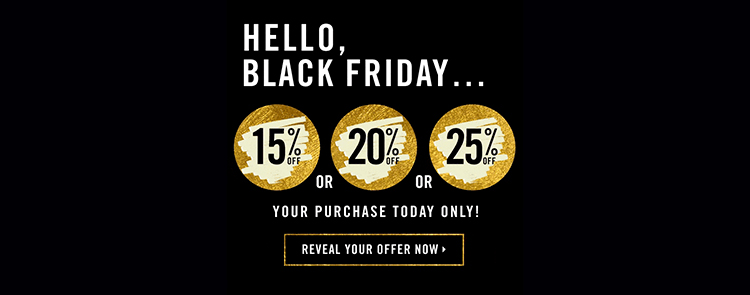
Countdown Timers – Urgency sells! These work wonders for sales, event sign-ups, and limited time offers.
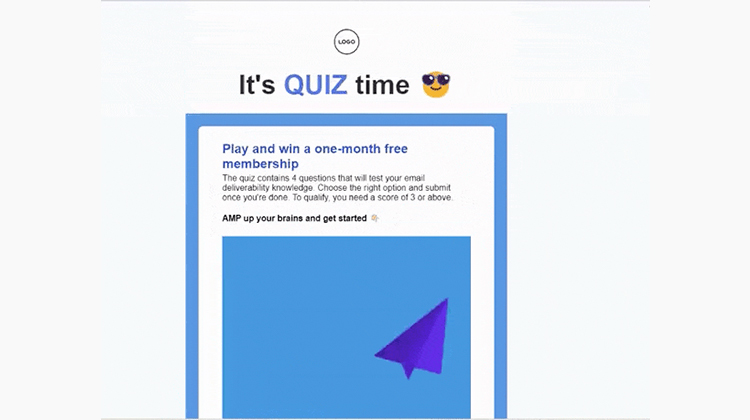
AMP Emails – Interactive elements like carousels, live polls, and real-time updates.
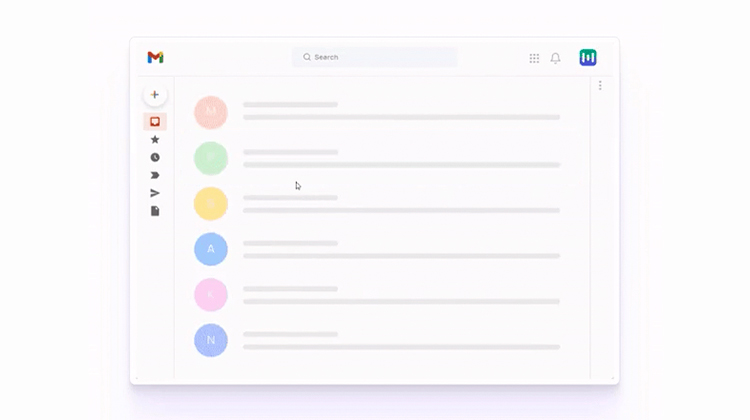
Well-placed animations can boost conversions…so choose wisely.
Step 3: Design Smart Animations (Not Heavy Ones!)
Here’s where most marketers go wrong, they overload their emails with massive animations that take ages to load. To keep your motion content effective:
✔  Keep It Under 1MB – Large files slow down emails and risk being ignored.
✔  Make It Purposeful – Motion should enhance the message, not distract from it.
✔  Stay On-Brand – Use consistent colors, fonts, and design elements.
✔  Highlight Key Actions – Motion should draw the reader’s eye to your CTA or message.
Step 4: Ensure Compatibility Across Email Clients
Not every email platform is motion-friendly (looking at you, Outlook). Here’s how to avoid tech headaches:
Test on Multiple Clients – Use tools like Litmus or Email on Acid.
Add Fallbacks – Include a static image for email clients that don’t support animations.
Use HTML & CSS – Where possible, use CSS animations instead of GIFs to keep emails lighter.
Step 5: Optimize for Mobile (Because That’s Where Everyone Is)
Over 46% of emails are opened on mobile devices. If your motion content isn’t mobile-friendly, it’s a waste.
✔  Use responsive design – Ensure animations adjust for different screen sizes.
✔  Skip heavy auto-play – Mobile users won’t wait for slow-loading emails.
✔  Test across devices – What looks good on desktop might be a mess on mobile.
Step 6: Embed Motion Content Like a Pro
Most email platforms (Mailchimp, Klaviyo, HubSpot) make it easy to add animations:
For GIFs: Upload as an image file.
For AMP Emails: Follow coding guidelines specific to your platform.
For CSS Animations: Use inline styles for compatibility.
Step 7: A/B Test Motion vs. Static Content
Motion isn’t always the best choice. The only way to know what works for your audience is to test it:
Try animated vs. static CTAs to see which gets more clicks.
Compare motion-heavy emails vs. minimal animations to measure engagement.
Track open rates, time spent on email and click-throughs for data-driven insights.
Step 8: Analyze and Tweak for Better Performance
Once your emails are out in the wild, don’t just sit back, track how they’re performing. Use your email marketing tool’s analytics to measure:
Open rates – Are animations affecting visibility?
Click-through rates (CTR) – Are motion CTAs outperforming static ones?
Conversion rates – Is your animation helping to drive actual sales/sign-ups?
If the numbers show improvements, great! If not, tweak your approach and keep testing.
Motion is the Future of Email Marketing
In 2025, adding motion to emails isn’t just a “nice-to-have” …it’s a strategic move to boost engagement. Whether you’re using simple GIFs or full AMP-powered interactive content, the key is balance. Keep it lightweight, make it purposeful, and always, always test what works for your audience.
Ready to level up your email game? Start with small animations, track results, and let your emails do the talking (literally!). Learn more Motion Content in Emails: A Growing Trend to Boost Engagement (2025)