Let’s be real:
Design in 2025 isn’t a solo sport anymore.
Whether you’re at a startup, SaaS company, agency, or remote team, the days of “one designer, one file” are long gone. Let’s dive deep into the world of design with Figma.
Today?
Design is collaborative by default.
And no tool has made that shift smoother than Figma.
Why Collaborative Design Matters in 2025
🚫 The Old Way (Pre-2020):
- Export files
- Email screenshots
- Slack over feedback
- Cry when devs break designs.
✅ The New Way (2025):
- Design live with your team
- Share files instantly, no exports
- Run brainstorms + UI design in the same file.e
- Dev handoff happens inside the tool.
- Utilize AI to streamline mundane tasks.
Why Figma?
Figma basically owns the collaborative design space right now.
If you’re wondering why, we covered the full Figma vs Sketch debate in detail here:
👉 Figma vs Sketch: Who’s Winning the Design Tool Battle in 2025?
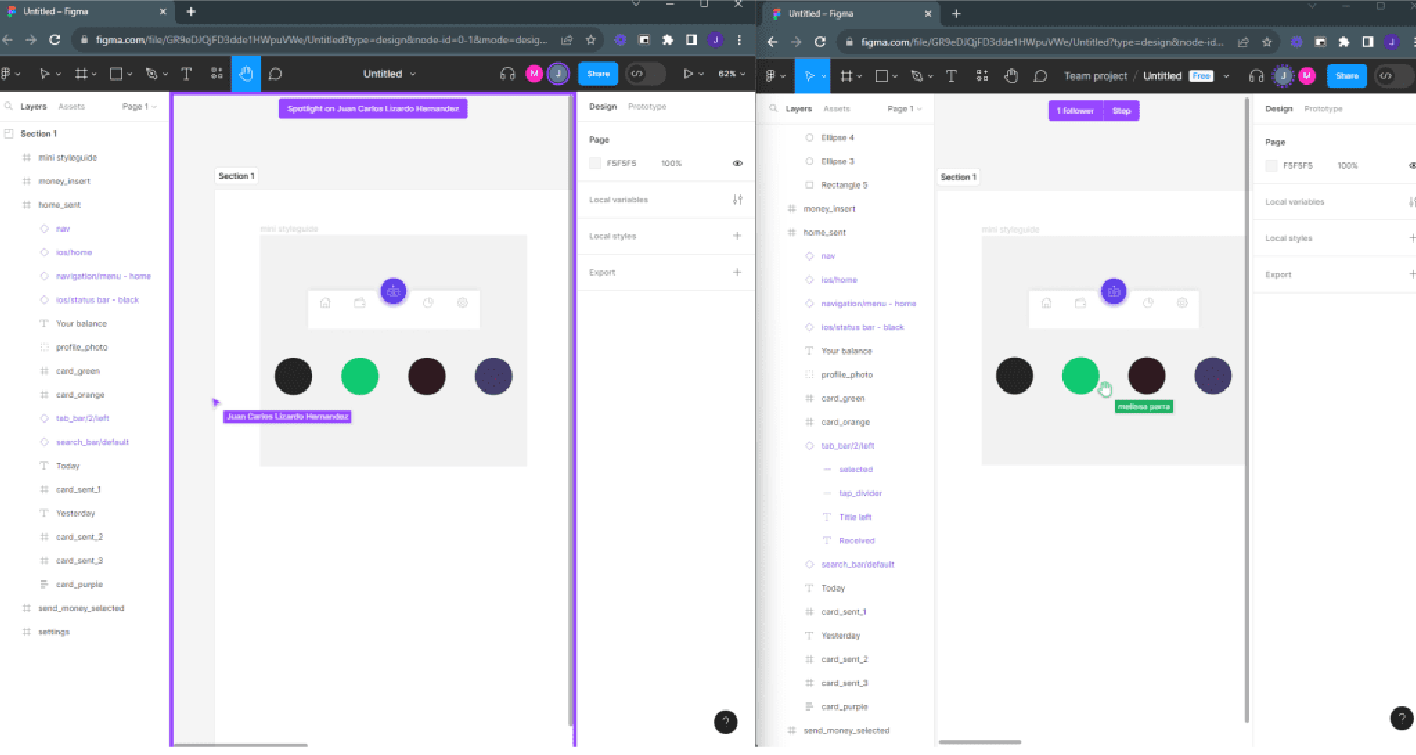
What Makes Figma So Good at Collaboration?
Here’s the breakdown:
| Feature | Why It’s Useful |
| Real-Time Editing | Multiple people designing together, no overwrites or version chaos |
| Comments & Threads | Feedback happens in the file, not on Slack |
| FigJam Integration | Brainstorm, wireframe, and design all in one ecosystem |
| Dev Mode | Developers can inspect designs, grab CSS/React/Swift code, and leave feedback |
| AI Assistance | Figma AI helps with content generation, layout fixes, and faster iteration |
The Practical Guide: How to Use Figma Collaboratively
1️⃣ Set Up Shared Workspaces
Create team spaces where all files can be accessed.
Stop sending links in random group chats. Use:
- Figma Teams
- Project folders
- Access controls (edit, comment, view)
2️⃣ Use Live Collaboration (The Right Way)
Figma isn’t just about working together; it’s about working smarter together.
Best practices:
- Use cursor chats during collab sessions
- Turn on audio in FigJam for whiteboard sprints.
- Use the present mode when reviewing designs with stakeholders.
3️⃣ Comment Like a Pro
Figma comments aren’t just sticky notes; they’re workflow gold.
Tips:
- Tag specific teammates (@name)
- Use emojis to mark resolved issues (✅🔥)
- Turn comments into action items.
4️⃣ Use FigJam for Pre-Design Work
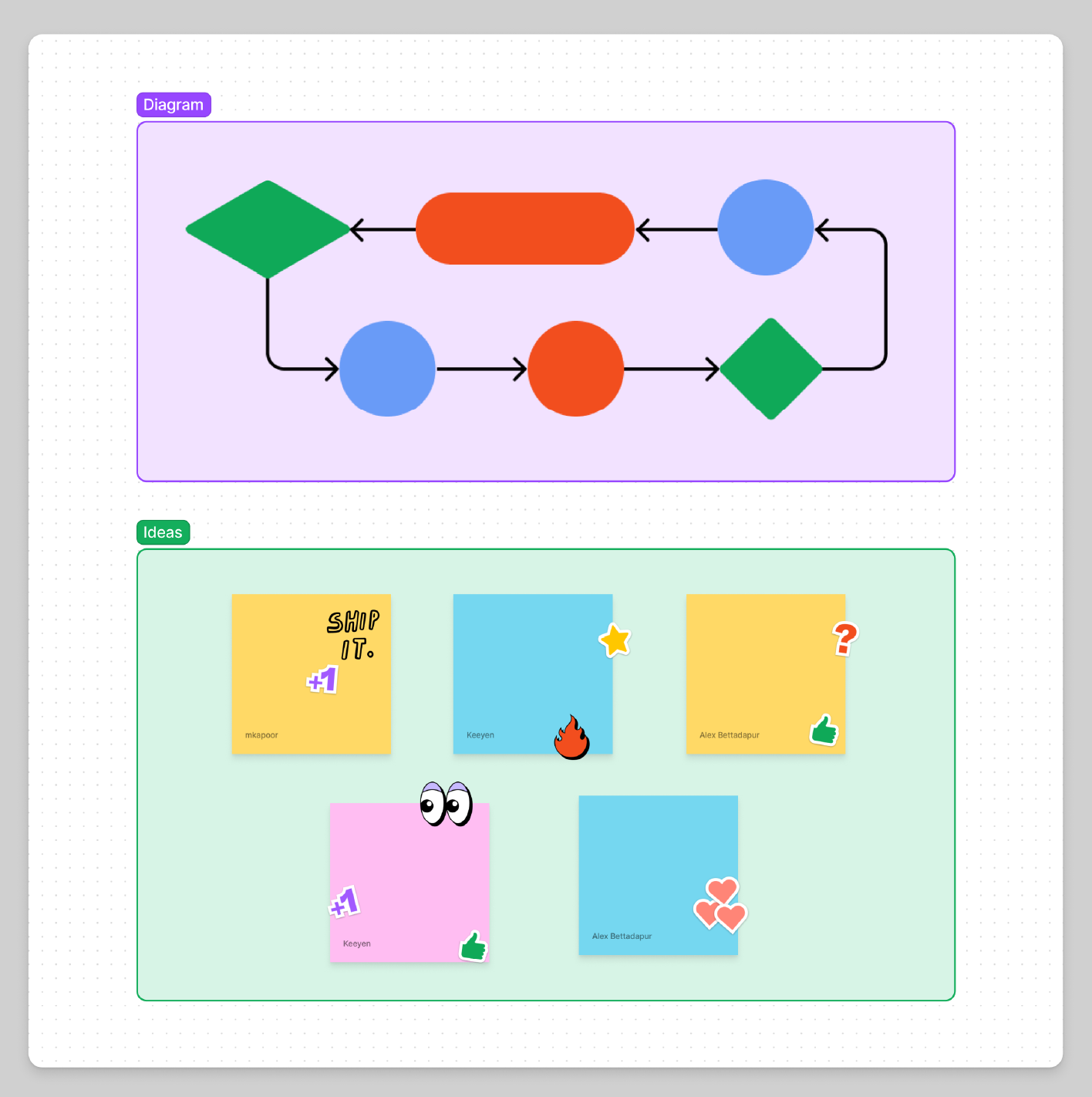
Before jumping into UI screens, start with:
- User flows
- Wireframes
- Sticky note brainstorms
- Feedback maps
Check it out: Figma FigJam
5️⃣ Streamline Dev Handoff with Dev Mode
In the past, dev handoff was painful.
Now? Figma Dev Mode solves it.
Dev teams can:
- Inspect designs
- Copy code snippets (CSS, iOS, Android)
- Get redlines automatically
- Leave technical feedback in the same file.
More info: Figma Dev Mode
6️⃣ Use Version History (Because Mistakes Happen)
Don’t be the person who deletes the master file.
Use Figma’s version control:
- View past versions
- Restore older files
- Name checkpoints before major changes
Real-World Collab Use Cases
| Team | How They Use Figma |
| Startups | Product design + prototype + developer handoff in one space |
| Agencies | Client feedback happens live, no PDFs, no email chains |
| Remote Teams | Whiteboarding in FigJam → UI in Figma → Launch faster |
| SaaS Companies | Design, UX writing, and dev are all working in Dev Mode |
Figma Collab: Pro Tips for 2025
💡 Keep file names clear:
Homepage-Concept-V3-Final-Final is not helping anyone.
💡 Assign roles:
Who’s leading the design? Who’s reviewing? Who’s pushing to dev?
💡 Use plugins:
Speed up collaboration with plugins like:
- Content Reel (for placeholder text/images)
- Autoflow (for wireframe flows)
- AI Assistants (for faster iterations)
Explore plugins: Figma Community Plugins.
The Bottom Line
Collaborative design isn’t optional anymore; it’s how modern teams work.
And in 2025? Figma is the easiest way to make that happen.
If you’re still working in silos, you’re already behind.
Next Read:
Want to understand why Figma pulled ahead of Sketch this year?
👉 Read: Figma vs Sketch: Who’s Winning the Design Tool Battle in 2025