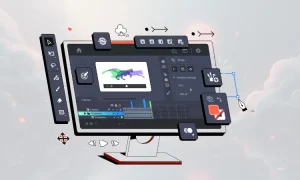
Micro animations have become one of the most effective ways to enhance user experience in modern interfaces. They guide attention, make interactions intuitive, and add personality to a design without overwhelming users. In 2025 and beyond, micro animations are a central part of high-quality UI design.
CSS and GSAP (GreenSock Animation Platform) are two of the most widely used tools for creating smooth, high-performance motion. Together, they allow designers and developers to bring interfaces to life with subtle, elegant movement.
If you are exploring motion design trends more deeply, check out Motion Graphics and Micro Animations: How They Are Enhancing Web Design in 2025 on Tech News Tips

TL; DR: Quick Takeaways
- CSS is ideal for simple transitions like hovers or fades
- GSAP is perfect for complex or chained animations
- Micro animations should improve usability, not distract.
- Motion must respect accessibility preferences.s
- Testing animations on mobile is essential.
What Micro Animations Actually Do
Micro animations are small movement cues that help users understand what is happening on the screen. They serve key UX functions such as:
- Offering feedback when a user clicks or taps
- Showing transitions between states
- Highlighting active elements
- Helping users understand “cause and effect”
To see how animation fits into broader UX decisions like color contrast and accessibility, explore Dark Mode UX: Why Users Are Choosing Darker Interfac.es
When to Use CSS for Micro Animations
CSS is perfect for simple, lightweight motion that does not require timing control or complex sequencing.
Ideal CSS use cases
- Hover transitions
- Button press interactions
- Fading elements
- Basic scaling
- Simple loading indicators
Example: Button hover transition
button {
background: #4A7DFF;
padding: 12px 20px;
color: white;
border-radius: 8px;
transition: transform 0.25s ease, background 0.25s ease;
}
button: hover {
transform: translateY(-4px);
background: #365EDC;
}
When GSAP Becomes the Better Option
GSAP is an industry standard for professional-level motion. It offers:
- Advanced easing
- High performance on mobile
- Timelines for chaining animations
- SVG animation support
- Full control over playback
This makes GSAP ideal for onboarding sequences, icon animations, scroll-based triggers, and UI elements that need precise timing.


A Simple GSAP Micro Animation
Fade and scale animation
Hello GSAP
.card {
width: 220px;
padding: 20px;
background: #EFF2FF;
border-radius: 10px;
opacity: 0;
transform: scale(0.8);
}
gsap.to(".card", {
duration: 0.6,
opacity: 1,
scale: 1,
ease: "power2.out"
});
This type of motion is perfect for cards, tooltips, dropdowns, and modal entrances.
Sequencing Micro Animations with GSAP Timelines
Timelines let you control multiple animations in order without manually adding delays.
Ripple effect example
const tl = gsap.timeline({ paused: true });
tl.to(".ripple", {
scale: 3,
opacity: 0,
duration: 0.6
});
button.addEventListener("click", () => tl.restart());
Timelines keep motion predictable and easy to maintain.
Creating Helpful, Not Distracting Animations
1. Keep animations short
The ideal duration is 150 to 350 ms.
2. Use easing to create natural movement
GSAP offers smooth easing like:
- power2.out
- expo. out
- circ.inOut
3. Honor reduced motion preferences
@media (prefers-reduced-motion) {
* {
animation: none;
transition: none;
}
}
4. Test motion across devices
Micro animations should feel smooth on mobile, not jittery.
5. Use animation to guide attention
Movement should help the user, not add visual noise.
Common Mistakes to Avoid
- Animating too many elements
- Using linear easing
- Making animations too long
- Ignoring performance impacts
- Forgetting accessibility preferences
Advanced GSAP Techniques to Explore
Staggered animations
gsap.from(".item", {
opacity: 0,
y: 20,
stagger: 0.1,
duration: 0.4
});
Scroll-based triggers
GSAP ScrollTrigger is perfect for section reveals, parallax, or progress indicators.
SVG animations
Ideal for icons, logos, loaders, and decorative motion.
Micro Animations Should Serve a Purpose
The best micro animations are subtle, intentional, and functional. They improve comprehension, guide focus, and make interfaces feel more human.
Using CSS for simple transitions and GSAP for complex motion helps you build a modern, intuitive, and polished UI.
If you want to explore how animation trends are evolving, revisit:
Collaborative Design with Figma: A Practical Guide (2025 Edition)
References
GreenSock GSAP Documentation
https://greensock.com/docs
Mozilla Developer Network: CSS Animations Guide
https://developer.mozilla.org/en-US/docs/Web/CSS/CSS_Animations
CSS Tricks: Understanding CSS Transitions and Animation
https://css-tricks.com/almanac/properties/a/animation/
UX Collective: Microinteractions and Their Role in UX
https://uxdesign.cc/microinteractions-the-secret-sauce-of-great-ux-79c4771c5083
GreenSock Learning Resources and Examples
https://greensock.com/learning