1. Define Your Niche & Audience
Start by zeroing in on who you’re serving: genre fans, regional content lovers, or insider creators? Market research matters: think surveys, forums, social listening, and competitive analysis to find a gap no one else is filling. (UMA Technology)
2. Build a Business Plan
Lay out your vision, model, and strategy: services, growth goals, content plan, marketing, finances, and team. A solid plan helps you steer the ship and attract investors.(UMA Technology, inorain.com)
3. Content Strategy: Originals or Licensed?
Decide if you’re producing original shows or licensing content. Originals give you brand identity but cost more; licensing can get you started fast, just be sure you know your rights and avoid legal headaches (UMA Technology, inorain.com)
4. Tech Stack Essentials
- Cloud and CDNs: Use scalable cloud hosting (AWS, GCP, Azure) and CDNs like CloudFront or Akamai to keep streams smooth worldwide e.(formula.co)
- Video CMS or OVP: Choose between modular setups or integrated video platforms (OVPs). Both help you manage content, encode streams, and scale.
5. Device & Platform Support
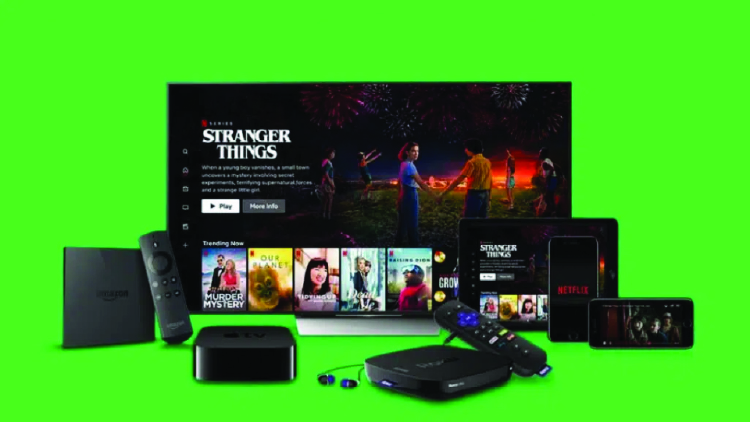
Support should extend across all screens, web, iOS, Android, Roku, Fire TV, and smart TVs. Even early MVP apps need solid compatibility to grab attention. (muvi.com, uptech.team)
6. UX / UI That Feels Good
Build an intuitive, responsive interface with features like personalization, easy filters, captions, variable playback controls, and clean navigation. Good UX = retention.(hostinger.in)
7. Payment Systems & Monetization
Offer diverse monetization approaches:
- SVOD (subscriptions)
- AVOD (ad‑supported)
- TVOD (pay‑per‑view)
- Or hybrid models combining them
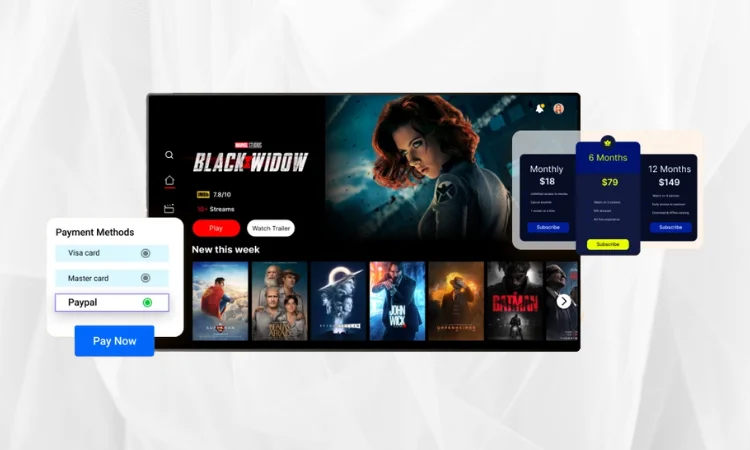
Incorporate flexible payment gateways (Stripe, PayPal, etc.), coupons, and promos. (muvi.com)
8. Start with an MVP
Build a minimum viable product first, think signup/login, catalog, search, basic player, subscription flow, and a minimal CMS. Test it fast, gather feedback, iterate before sinking too much cash. Learn more (The Rise of Niche Streaming Platforms (And Why Everyone’s Obsessed)
9. Technical Performance Tips
- Bandwidth: Aim for at least 5 Mbps for HD, 10 Mbps+ for top-quality streams
- Multi-bitrate streaming + adaptive players: Stream at different quality levels so users with slower internet get lower resolution without stalling. (dacast.com)
- Encoding: Use modern codecs like H.264 or H.265 for optimal quality + file size.
Always test everything (streams, equipment, connectivity) and set up backup options like redundant connections and fallback encoders
10. Security & Legal
Protect content and users:
- Implement DRM, geo‑blocking, and watermarking
- Restrict domain access so streams aren’t shared illegally.
- Make sure you have all the license cleared.
- Build in privacy policies that comply with GDPR or CCPA.
11. Launch & Market Smart
- Use teaser campaigns, influencer collabs, social ads, and email marketing.
- Stream events or previews can build buzz.
- SEO + content marketing helps attract organic traffic.
12. Analyze & Optimize Continuously
Track engagement, drop-offs, churn, watch time, and conversion. Use analytics to refine UX, content mix, marketing moves, and retention hacks.
TL; DR: Launching the Right Way
| Focus Area | Why It’s Essential |
| Niche clarity | Sets you apart and guides content decisions |
| Scalable CDN + cloud | Ensures smooth playback around the globe |
| Multi-device support | Captures maximum audience reach |
| Smart monetization mix | Maximizes revenue and flexibility |
| MVP-first mindset | Helps validate with users early |
| Testing + backups | Avoids tech disasters during critical streams |
| Legal + security | Keeps your platform legit and piracy‑proof |
| Marketing & analytics | Drives growth and sustains audience over time |
Set your foundation, keep users front-of-mind, iterate fast, and you’ll be ready to launch a streaming service that’s not just streamed but streamed well.